GitLab recommends a unified setup for agentic engineering
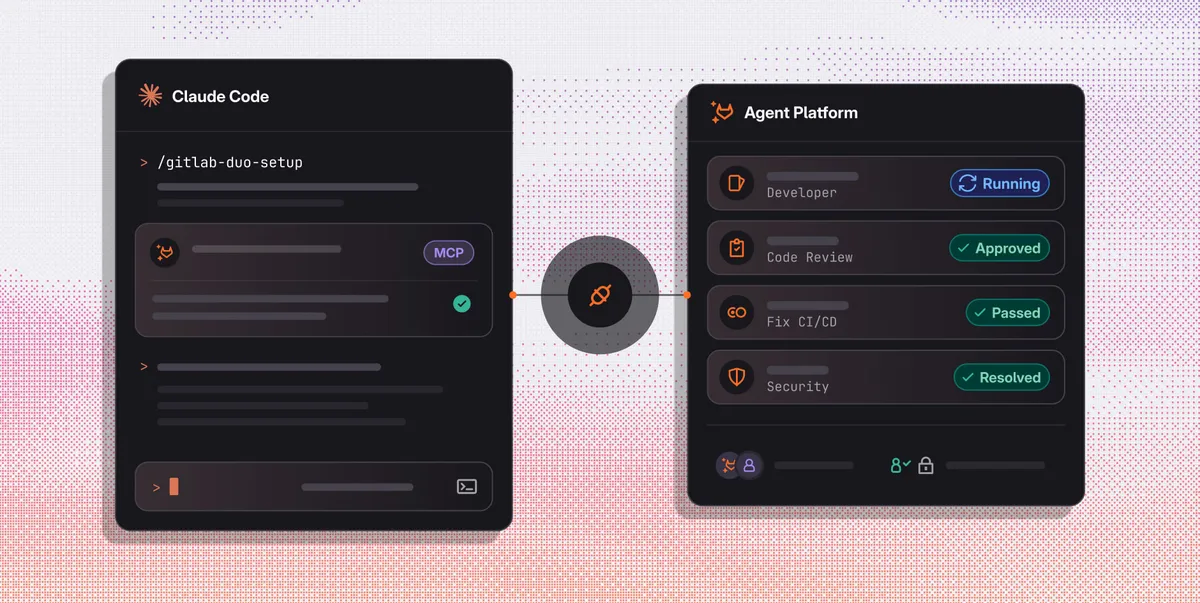
GitLab has published a recommended configuration for agentic engineering that connects local coding harnesses with GitLab Duo Agent Platform. The setup is designed to let teams automate work from issue assignment through merge while retaining reviews, pipelines, scans, approvals and audit records.
- GitLab connects local coding harnesses to Duo Agent Platform.
- The setup enables automated reviews and pipeline repair.
- Claude Code can manage GitLab workflows through MCP.
- Security triage and fixes require GitLab Ultimate.
- The configuration preserves existing reviews, gates and audit records.
A local harness connected to GitLab controls
GitLab’s approach keeps developers in the coding tools they already use, including Claude Code, Codex, Cursor and OpenCode, while directing longer, repository-aware workflows through GitLab. The company says its platform is cloud-neutral, model-neutral and agent-neutral, allowing teams to keep the harnesses, models and deployment path that fit their organization.
According to GitLab, this connection is important because agent-generated changes need the full software lifecycle context held in a unified platform. Identity, policy, CI pipelines, security, approvals and audits should travel with a change from planning through merge and into production. The company warns that without those controls, context and evidence can become fragmented across people and tools.
Setup uses GitLab Duo skills and MCP
The recommended setup begins with the GitLab Duo setup skill. After it is installed and invoked from Claude Code, the skill can configure a top-level group, turn on Duo Agent Platform and flow execution, add the Code Review, Duo Developer and Fix CI/CD Pipeline flows, enable automatic code review, and create pipeline-failure automations in projects that use CI/CD.
It also adds the GitLab MCP server to Claude Code and guides the user through sign-in. Before making changes, the skill presents a plan covering the affected groups and projects and waits for approval. GitLab says that running the skill twice is safe because projects that already have a Fix CI/CD Pipeline automation are skipped.
The prerequisites include a GitLab.com top-level group with GitLab Credits, a project with a pipeline, open issues and merge requests, the Owner role on the top-level group, and Claude Code installed and signed in. Users also need git and the GitLab CLI, signed in with glab auth login. The security workflow requires Ultimate licensing for the GitLab instance.
Four workflows run from the terminal
Once the GitLab MCP server is connected, Claude Code can find issues, start a flow, read merge request discussions and pipeline status, and reply to threads through one OAuth connection. GitLab says each call includes an AI audit event for the platform team.
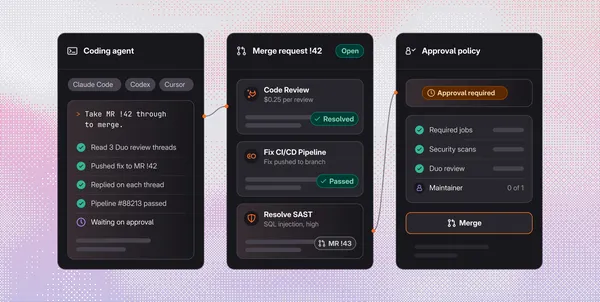
The documented workflows include handing an assigned issue to the Developer flow, obtaining automated code reviews and responding to findings, resolving merge conflicts, and using an automation to repair a failed pipeline. With GitLab Ultimate, teams can also triage and fix security findings after code lands. The optional MR followup skill helps a local harness monitor repository-side progress and take actions on the user’s behalf.
For users, the combined path is intended to reduce handoffs while keeping the same engineering and security standards on every merge request. For GitLab, the model places agent work inside existing lifecycle controls, so automation can move faster without removing the reviews, scans, approval policies and audit trail that govern delivery.