Suno Bridge brings Suno’s music models into Ableton Live
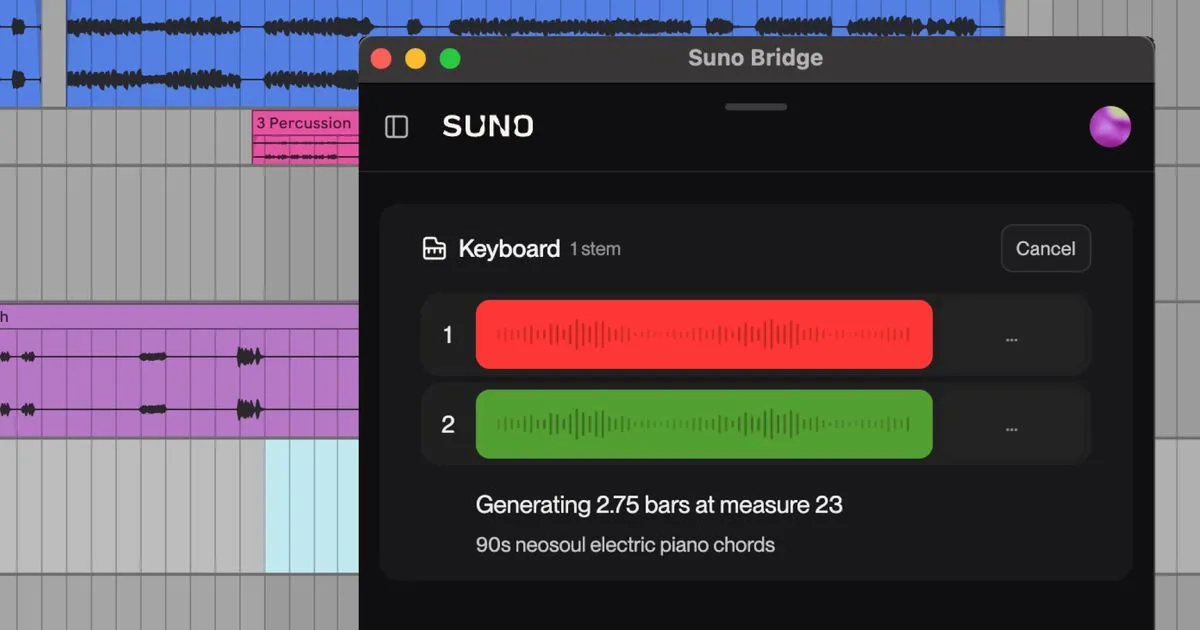
Suno has introduced Suno Bridge, a standalone beta app that brings its music models into music production software. The tool initially works with Ableton Live 12 on a Mac, allowing users to generate instrumentation and vocals within an existing session.
- Suno Bridge is a standalone beta app for music production.
- It initially supports Ableton Live 12 running on a Mac.
- The app generates instrument and vocal parts for an Ableton session.
- Bridge synchronizes with a session by uploading files to Suno.
- The beta is included with all Premier subscriptions.
Suno Bridge connects directly to a DAW
Bridge is designed to combine Suno’s workflow with the virtual instruments, plugins and digital audio workstation that musicians already use. Suno said the app was shaped by conversations with artists, producers and songwriters.
The company describes Bridge as a way to bring its music models directly into a user’s DAW. Prompts entered in Bridge can create new instrument and vocal parts that are placed on the session timeline. According to Suno, users do not need to leave their session, drag files into place or align them manually.
The generated sounds are intended to follow the track’s chord progressions, musical groove and key. Suno also says the parts can fit the session’s tempo, style and harmonic content, rather than functioning as stock samples that are separate from the music being produced.
How Bridge works with Ableton Live
Bridge runs alongside Ableton Live, and both applications must be open for the tool to work. To understand a track’s musical context, Bridge synchronizes with the Ableton session. Suno says this process involves uploading session files to Suno.
After synchronization, users set a prompting window with the loop start and end markers in Ableton’s Arrangement View. Suno gives the example of setting the loop from bar 9 to bar 16, which creates an 8-bar loop beginning on the first beat of bar 9.
The workflow is aimed at generating parts that fit a specific section of a song. That can include new instrumentation or vocals for a passage, while the producer continues working with the rest of the Ableton project, including existing plugins and audio routing.
Beta access and intended uses
Suno Bridge is included with all Premier subscriptions. The beta currently works with Ableton Live 12 on a Mac, while Suno plans to expand compatibility to more operating systems and DAW platforms in the future.
Suno presents Bridge as an “endless library of unique sounds designed to fit your music.” The company says it can help users revisit unfinished sessions, find ideas when they face creative roadblocks and add instrumentation or vocals to a track.
For producers, the main change is that Suno’s generative tools can be used within a familiar production environment instead of requiring a separate workflow. Users can keep working in Live with the tools and routing they already use, while exploring parts generated for the musical context of their session. Suno has made the app available to download as part of the beta.
Suno: Suno Bridge: Your DAW, Suno-powered | Suno