Ultralytics adds rotation-aware OCR to YOLO26 in Python
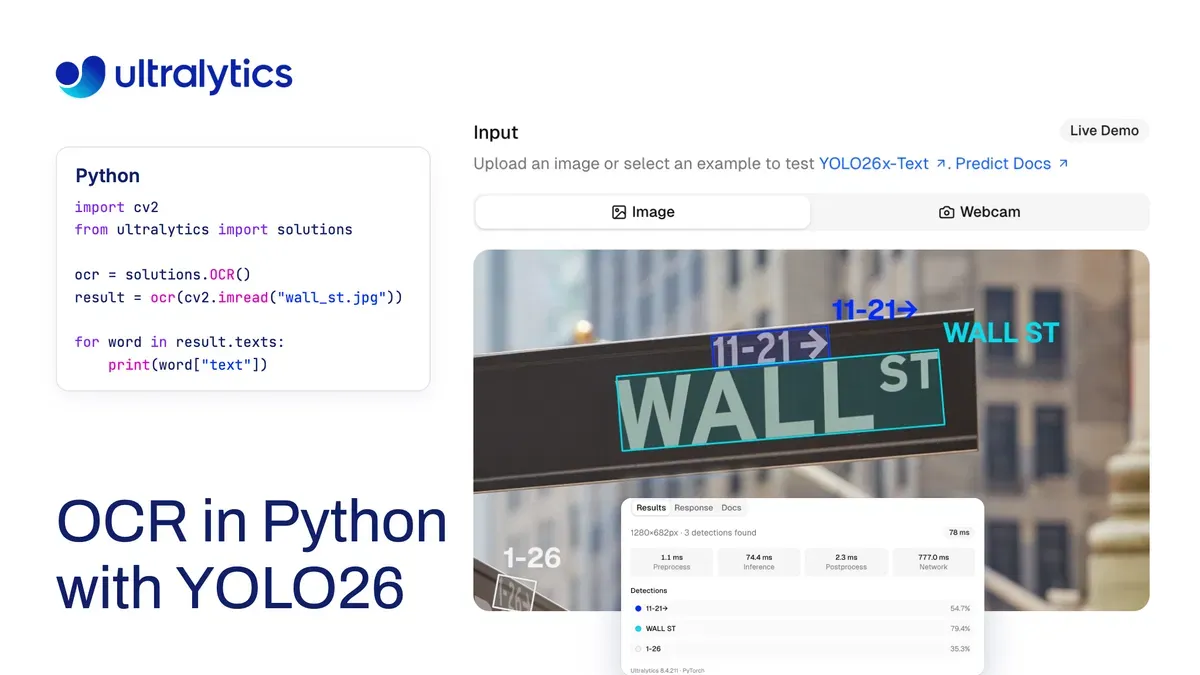
Ultralytics has introduced a Python OCR pipeline built around YOLO26-Text and PaddleOCR's PP-OCRv6, designed to read documents, photos and PDF pages at different rotations. The company says the pipeline detects text, recognizes individual words and returns them in reading order on CPU or GPU.
- YOLO26-Text detects rotated text while PP-OCRv6 recognizes words.
- The pipeline returns text in reading order with confidence scores and polygons.
- Ultralytics reports word F1 scores of 0.931 on six PDF pages and 0.722 on 80 HierText photos.
- Optional FP16 TensorRT recognition reduced one dense-page OCR call from 182 ms to 94 ms.
- The OCR solution supports CPU, CUDA and custom recognizers.
Two-stage pipeline handles rotated text
The OCR solution uses a YOLO26-Text model to detect text with oriented bounding boxes, then sends each word crop to PP-OCRv6 for recognition. The default detector is the yolo26x-text model, while n, s, m, l and x sizes are available.
Ultralytics says the pipeline was rebuilt in version 8.4.210 around PP-OCRv6 on ONNX Runtime, with rotation handling and reading order. Version 8.4.211 added an optional TensorRT recognizer. The default setup can run with ONNX Runtime on a CPU or CUDA, depending on the selected hardware and available execution provider.
Results include the recognized text, recognition confidence, detector confidence, a line number and a polygon in the original image coordinates. Keeping the two confidence scores separate can help identify words that need human review.
Pages can be read without manual rotation
The solution estimates page rotation from the angles of detected text boxes. It rotates the page, crops words upright and groups them into lines from top to bottom and left to right. It also compares the two possible orientations at 0 and 180 degrees by reading the eight widest words and selecting the more confident result.
In tests involving eight documents and screenshots plus 12 photos rotated to 90, 180 and 270 degrees, Ultralytics reports a word F1 score of 0.925 on the documents and 0.654 on the photos. On a blank IRS Form 8802, the system read 404, 401 and 399 words at 0, 180 and 90 degrees, with identical first lines.
In a separate benchmark at image size 1280, the default configuration achieved a word F1 score of 0.931 on six PDF pages and 0.722 on 80 HierText photos. Ultralytics says the benchmark supports using the x detector at imgsz=1280 and setting max_det=1000 for dense document pages.
Python setup and TensorRT performance
Developers can install the package with pip install -U "ultralytics>=8.4.211", then create the OCR solution with solutions.OCR(). The first OCR call downloads YOLO26x-Text and PP-OCRv6 and installs ONNX Runtime. The source says the default recognizer requires Python 3.11+ and ONNX Runtime 1.26+.
For PDFs, each page must first be rendered as an image. The returned words are already sorted, allowing developers to rebuild plain text by grouping them by line. The polygons can also support checks such as verifying whether an amount appears beside the word “Total.”
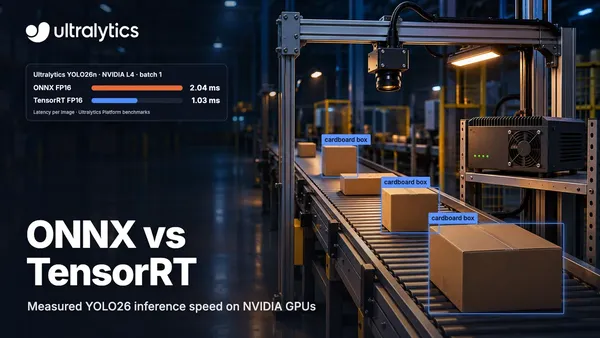
Ultralytics says its optional FP16 TensorRT recognizer is intended for NVIDIA GPUs. In a test on an RTX PRO 6000, it read 251 detected words in one photo in 82 ms, compared with 249 ms using ONNX Runtime on CUDA. Across four scene-text photos, the TensorRT engine was 2.5 to 3 times faster on three images containing 195 to 263 words, while a 48-word photo was 1.4 times faster. A full OCR call on a dense page fell from 182 ms to 94 ms.
What the release means for developers
The release gives Python developers a single code path for OCR on images, video frames and rendered PDF pages, while leaving the detector and recognizer independently replaceable. Ultralytics says users can select a smaller detector, provide their own detection or segmentation model, or pass a custom recognizer function.
That flexibility may suit applications that need both extracted text and its position on a page. The benchmark results also show a distinction between clean PDF pages and scene-text photos, with the company reporting stronger word F1 results for the PDF set. Developers can test the same code path in Ultralytics' browser-based document processing page before installing the package.